

Introduction
You ever walk into a meeting and feel like the seating chart is playing musical chairs with your sanity? The digital name plate doesn’t just look slick; it fixes that chaos with brains and timing. One large survey says teams lose up to 12 minutes per meeting sorting seats and titles. That stacks up fast in a week. Now imagine those minutes multiplied across rooms and floors—real money. So why do so many spaces still run on printer paper, tape, and hope? It’s wild.
Picture a high-stakes boardroom. C-suite in suits. Guests in from abroad. Two name slips get swapped, and boom—small error, big vibe shift. That’s the scenario. Here’s the data: paper tags churn out waste, LCDs suck power, and sticker fixes get messy after a month. The question: how do we get clarity, low energy, and easy updates in one move (without making IT cry)? Let’s zoom in and break the problem down before we build it back up.
Where Legacy Fixes Fall Short
Why do old setups still jam?
Earlier, we talked basics. Now we peel back the layers and look at where the failures hide. The pivot is a color e ink display powering modern tags. Look, it’s simpler than you think: paper labels go stale the second someone changes departments. LCD name plates add glare and drain, and they need chunky power converters. That means more cables and heat near the table. The result is clutter. And maintenance overload. E-paper skips those traps. It sips energy. It holds an image even when the power drops. It stays readable under bright lights thanks to a reflective layer and smart contrast control.
But the hidden pain points are deeper. Admins need fast updates, not a weekly reprint shift. Staff need names that render cleanly at a tight pixel density. Facilities teams want no-fuss batteries that last seasons, not weeks. IT wants BLE mesh updates and OTA firmware that won’t crash the whole fleet—funny how that works, right? Traditional gear falters on refresh rate, glare, and network handoffs. And when you add VIP badges, dual-language fields, and room persona data, the old stack starts to wobble. That’s why the smarter move leans on an ePaper controller, tight power budgets, and a calm UI that resists chaos when schedules change at 8:59 a.m.
New Principles, Real Gains
What’s Next
So what flips the script? Two things: physics and flow. Reflective color e-paper uses ambient light instead of a backlight, so readability stays high while power use stays low. An ambient light sensor can nudge contrast profiles to keep names crisp without burning extra cycles. Add edge computing nodes near the room to cache rosters, and you get quick swaps with less network chatter. The RF front-end then syncs tags in batches, while OTA firmware keeps features fresh without a truck roll. It’s quiet tech. But it hits hard.
Now compare this with older plaques and sticker hacks for conference table name plates. Paper needs people. Monitors need watts. E-paper needs logic. With queued updates, zero-glare panels, and safe-mode fallbacks, you get stable names even if Wi‑Fi goes weird. And the fleet stays clean. No late-night reprints. No cable snakes. Just clear identities and real uptime—because the system is built for churn. This is not flash; it’s infrastructure. It’s also flexible: logo fields, role tags, and QR codes for quick bios via NFC provisioning can slot in later. Small moves, big order.
How to Choose the Right Digital Name Plate
We’ve seen the tradeoffs. Old methods miss on energy, upkeep, and clarity when schedules spin. New setups with color e-paper push readability, control, and cost per seat down over time. Here’s a simple way to decide, without the hype—and yeah, that matters.
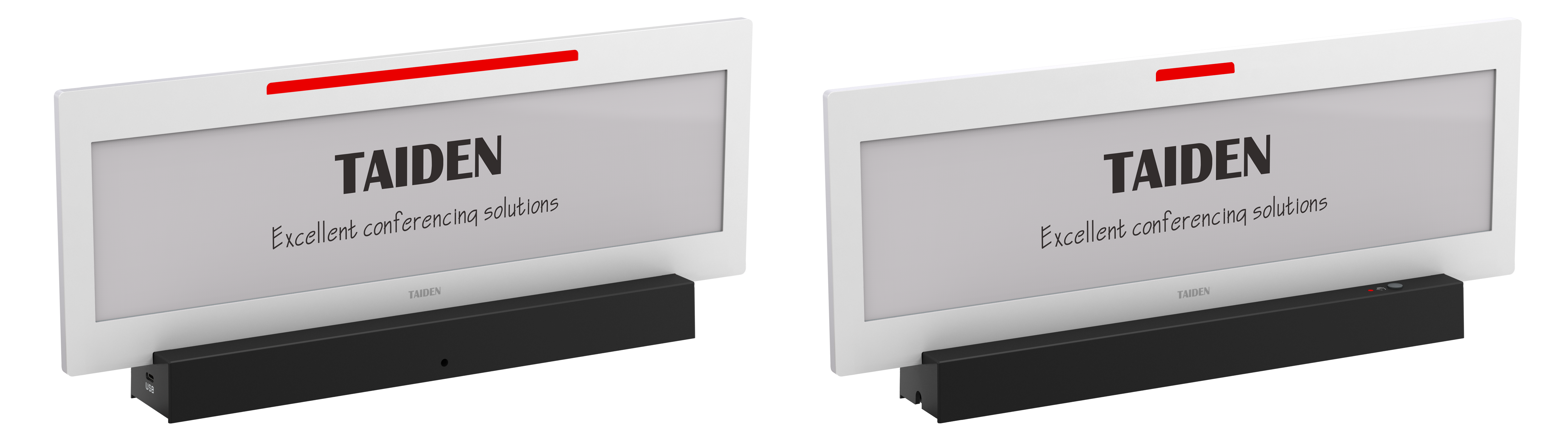
First, check three core metrics. 1) Power profile and lifespan: ask for tested duty cycles, standby draw, and typical refresh rate under real meeting loads. Include data on battery health and swap cadence. 2) Fleet control stack: make sure you get OTA firmware, role-based admin, and safe rollback. Verify BLE mesh or Wi‑Fi coexistence, and how edge computing nodes handle local caching if the cloud dips. 3) Visual fidelity: confirm pixel density, color layers, and antiglare performance under mixed lighting. Bonus points for an ePaper controller that can render small fonts cleanly and handle multilingual fields. If a vendor can’t show these numbers, keep walking. If they can, ask for a pilot in your highest churn room. Run it for two weeks. Count touches, errors, and minutes saved. You’ll see the curve bend fast. For steady, human-friendly spaces, that curve is the whole play. TAIDEN